 Garbamons

Media apps and tools
Garbamons Media Manager
From your photo folder to the map.
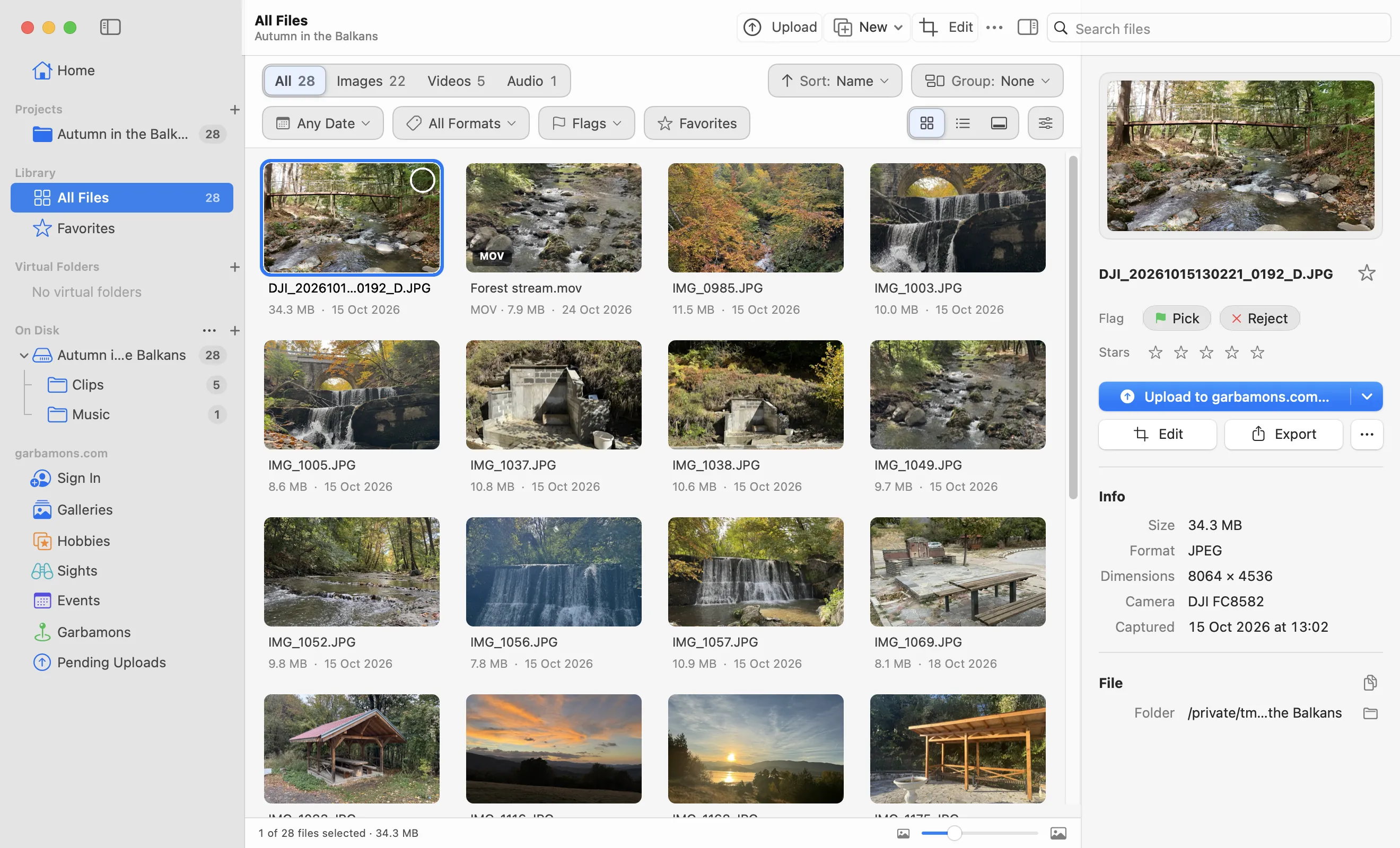
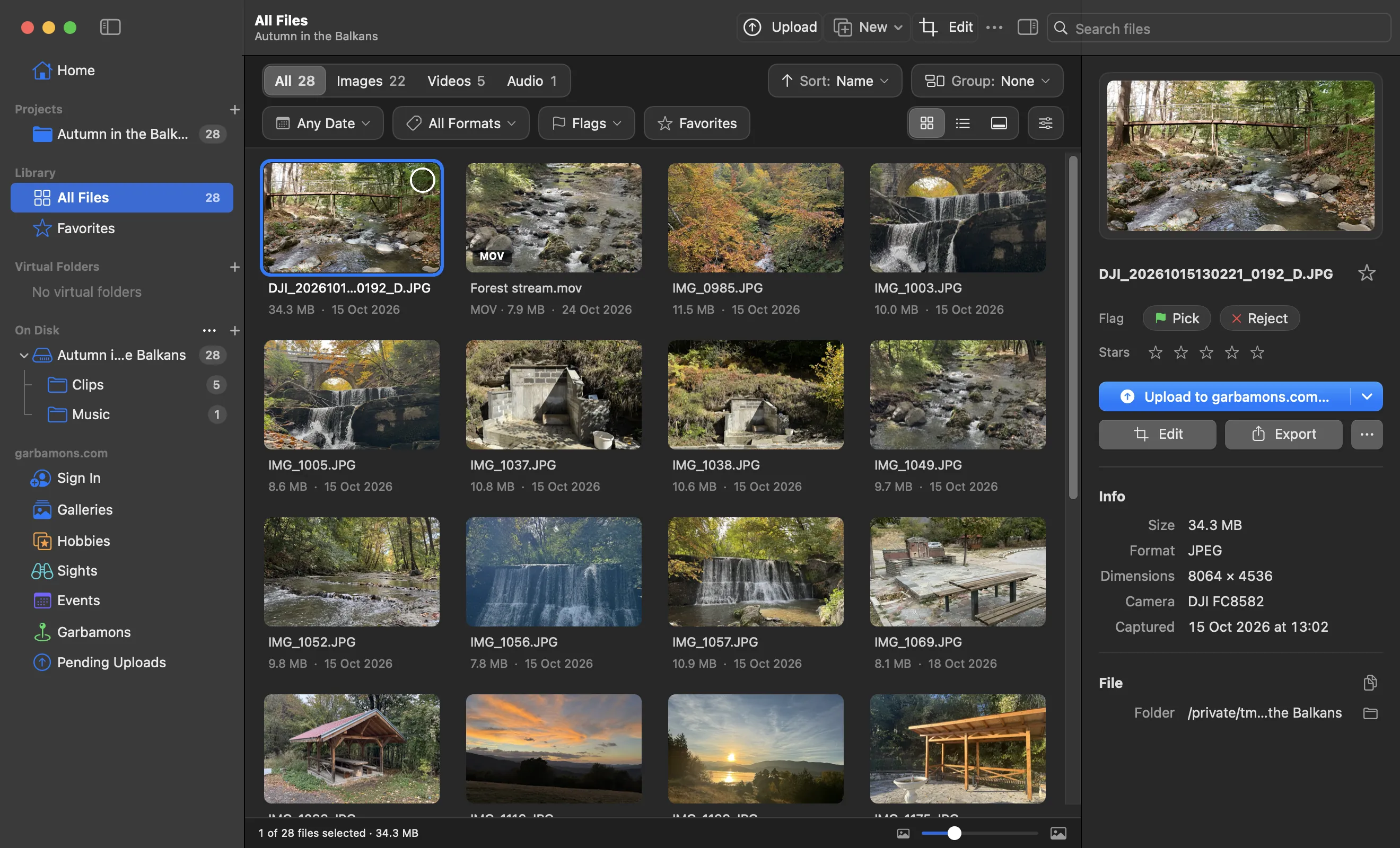
A free app that organizes the photos and videos in your own folders, helps you pick the best ones and edit them, and puts them on garbamons.com: as a new garbamon, a sight, a cleanup event, a hobby entry or a gallery, with the location taken from the photos.
Mac: version 1.8.0 · 21 MB · Apple silicon, macOS 14.0 or later
Windows: version 1.0.0 · 9.4 MB · Windows 10 or 11, 64-bit
Free, with your garbamons.com account
Made for garbamons.com
Sign in once with your garbamons.com account. Everything you add on the website, you can add from your library, and the app fills in where and when from the photos themselves.
How a photo gets on the map
- Pick
Select photos and videos in the library, or drag them onto an item in the sidebar.
- Check
Each file is checked against your plan and the destination before anything is sent.
- Send
Uploads run in the background and resume after a lost connection or a restart.
- Publish
The garbamon, sight, event or gallery is on garbamons.com with its photos and place.
Create on the map
Report a garbamon
Choose New Garbamon (⇧⌘U) with the photos of a littered spot selected. Its location comes from their GPS data and you can move it on the map. Edit types, difficulty, size and status later, and see all your reports on a map. Garbamon photos don't count toward your storage.
Add a sight
New Sight places it at the first photo's position. Categories and subcategories, connectivity, details and map points are edited just like on the website.
Organize a cleanup
Create events with a meeting point on the map, link the garbamons and sights they cover, see how many are going, and share the invitation link of a private event.
Hobby galleries
Sunsets, geocaching, hiking and every other hobby on the site. Add entries straight from your files: their place and capture time come from the photos.
Galleries
Create, edit and reorder galleries, change who can see them, group them into projects and open them on the web.
360° photos
Sphere panoramas are recognized, open in a look-around viewer and upload as 360° photos, keeping their panorama data.
Uploads you can trust
Checked before sending
Unsupported types, files over a limit, a full gallery or too little storage are caught with the reason before upload. HEIC and RAW are sent as full-size JPEGs, and your edits are applied.
A queue that resumes
Three files at a time in small chunks, with progress, pause and retry. Unfinished uploads continue where they stopped, even after quitting, and the Mac stays awake meanwhile.
See what's already online
Files on garbamons.com get a badge and a filter of their own, and the app warns before you send the same photo twice.
Nothing gets lost
If an upload stops, Pending Uploads suggests where each photo belonged, by place and time, and Fix All finishes the job. A new garbamon, sight or event is never created with only some of its photos without asking you.
The same place twice
Before creating a garbamon or sight, the app checks for one of the same kind within 100 m. If it's there, you can add your photos and details to it instead.
Tidy after upload
Optionally move files to a folder of your choice once garbamons.com has confirmed them, so you always know what's done.
Your account
Plans and storage
See your plan, storage and limits, and upgrade from the app. When a limit blocks a file, it names the smallest plan with room for it.
A secure sign-in
Sign in through a garbamons.com window. The app gets its own session, listed under Active devices on the website, where you can sign it out.
A complete photo and video workspace
Use it for all your photos, not only the ones you upload. Your folders stay where they are: nothing is imported or copied.
Library
Add a folder as a project and browse it at once, even with 100,000 files.
- Virtual and smart folders, favorites and statuses
- Filter by date, format and kind; group by folder, month or place
- RAW, HEIC, HEVC, ProRes and 360° photos; RAW + JPEG kept as pairs
- Quick Look and drag files straight into Finder, Mail or Messages
Cull
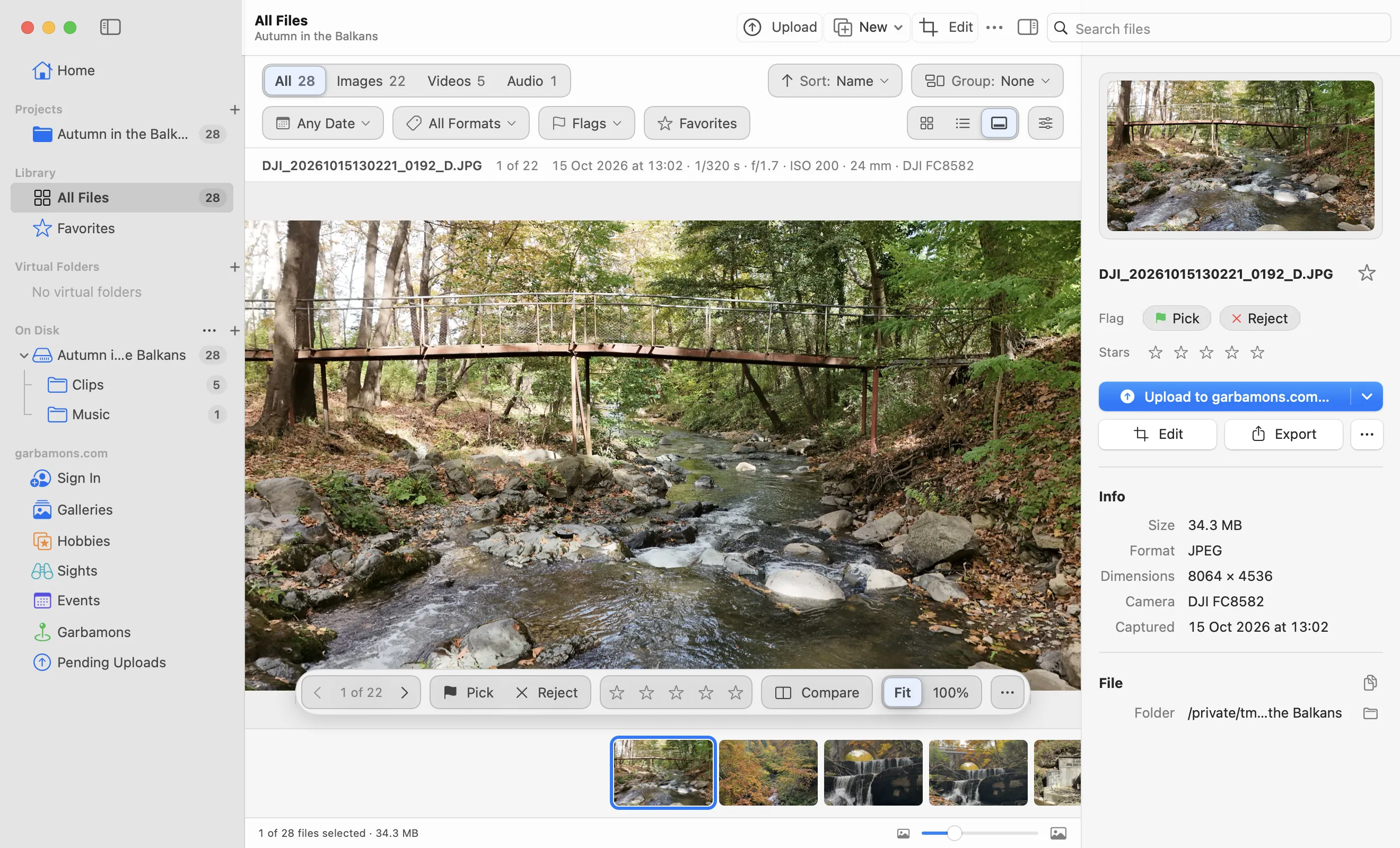
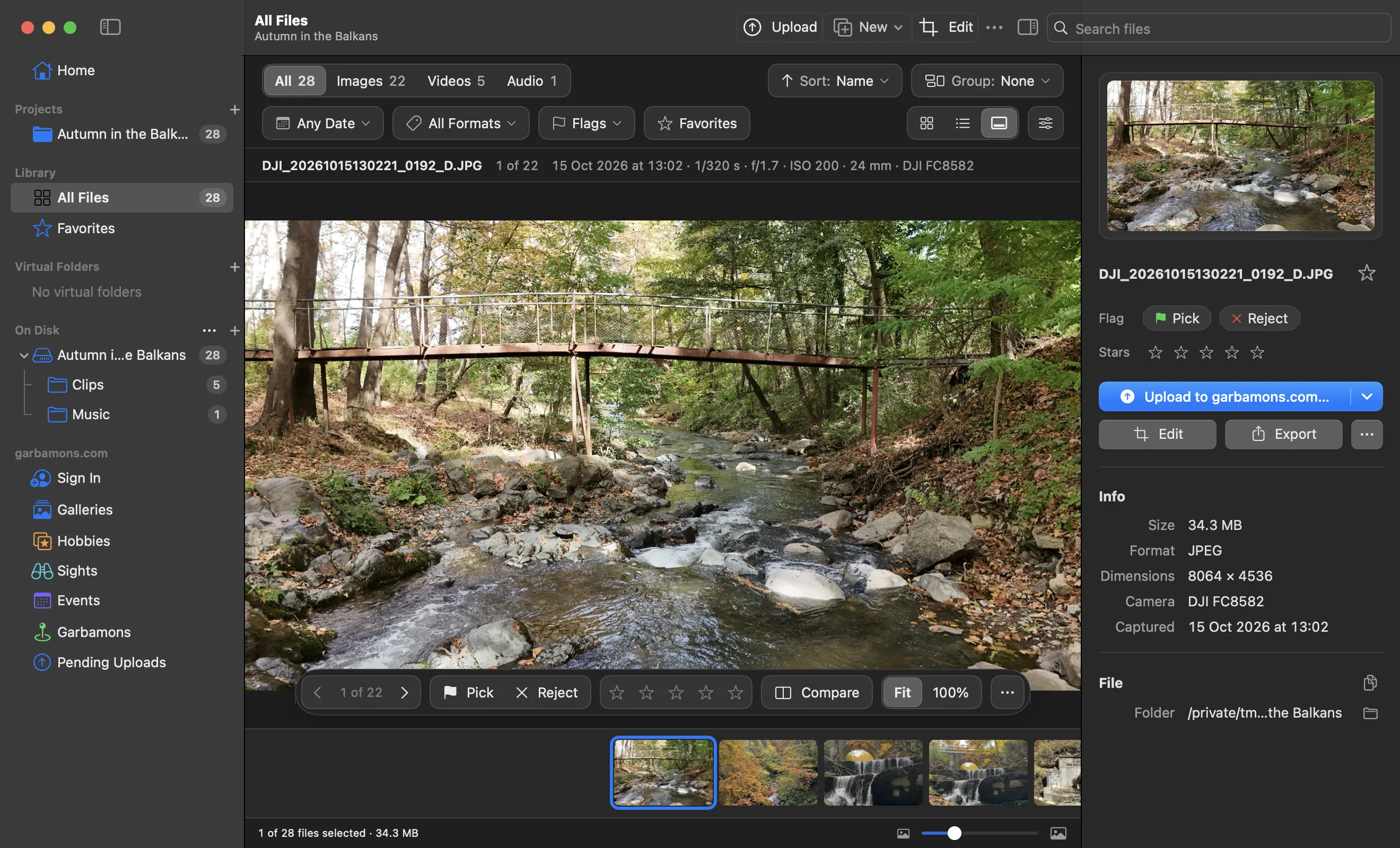
Go through a shoot one photo at a time and keep the best.
- Pick, reject and rate 1–5, one key each
- Filmstrip of the whole folder; compare 2–4 photos
- Optional hints for closed eyes and blur
- Rejects go to the Trash, with Undo
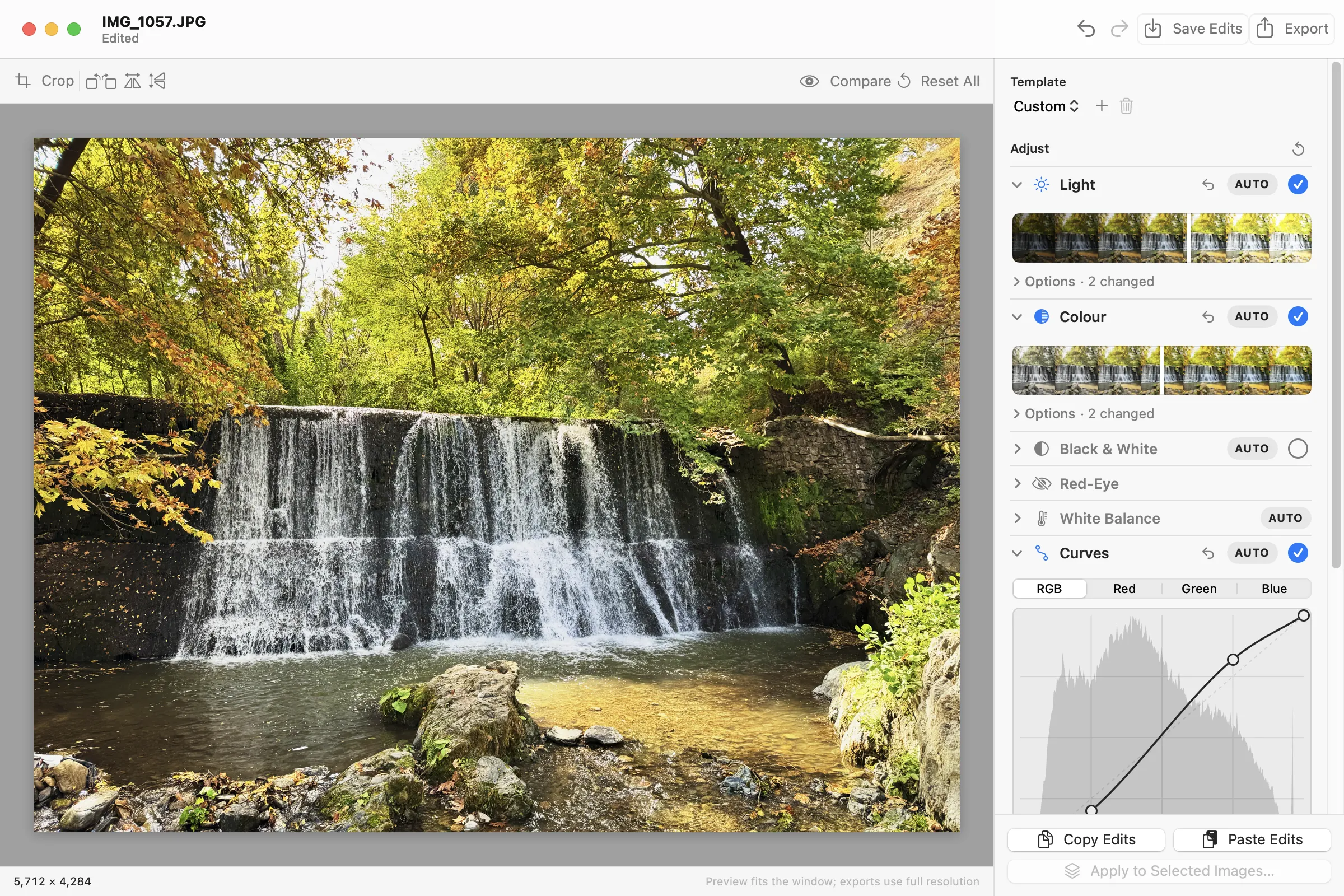
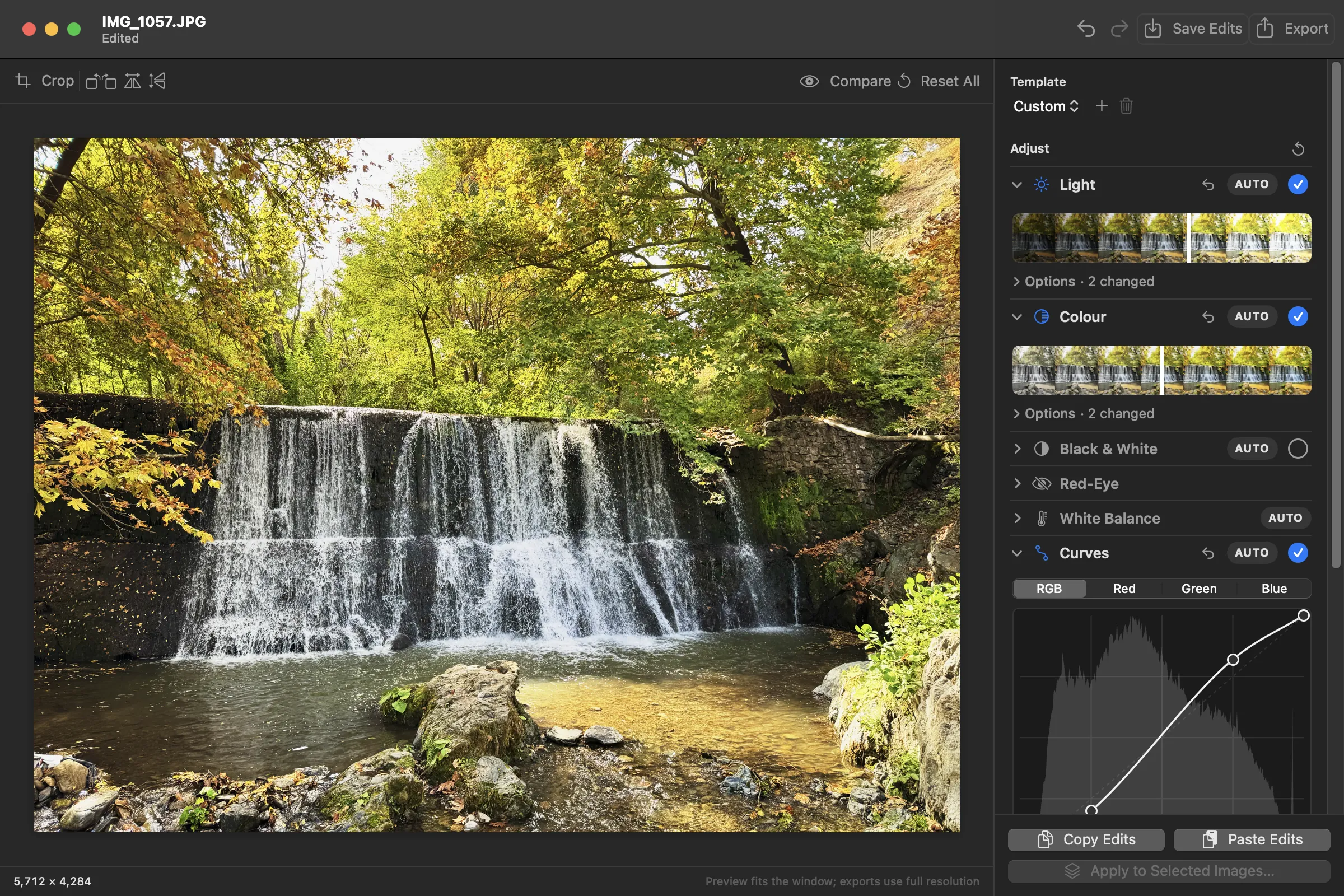
Edit photos
Non-destructive edits: the original is never changed.
- Light, colour, curves, levels and selective colour
- Noise reduction, crop, rotate and flip
- Looks and your own .cube LUTs; paste edits to many photos
- Export JPEG, PNG, HEIC or TIFF
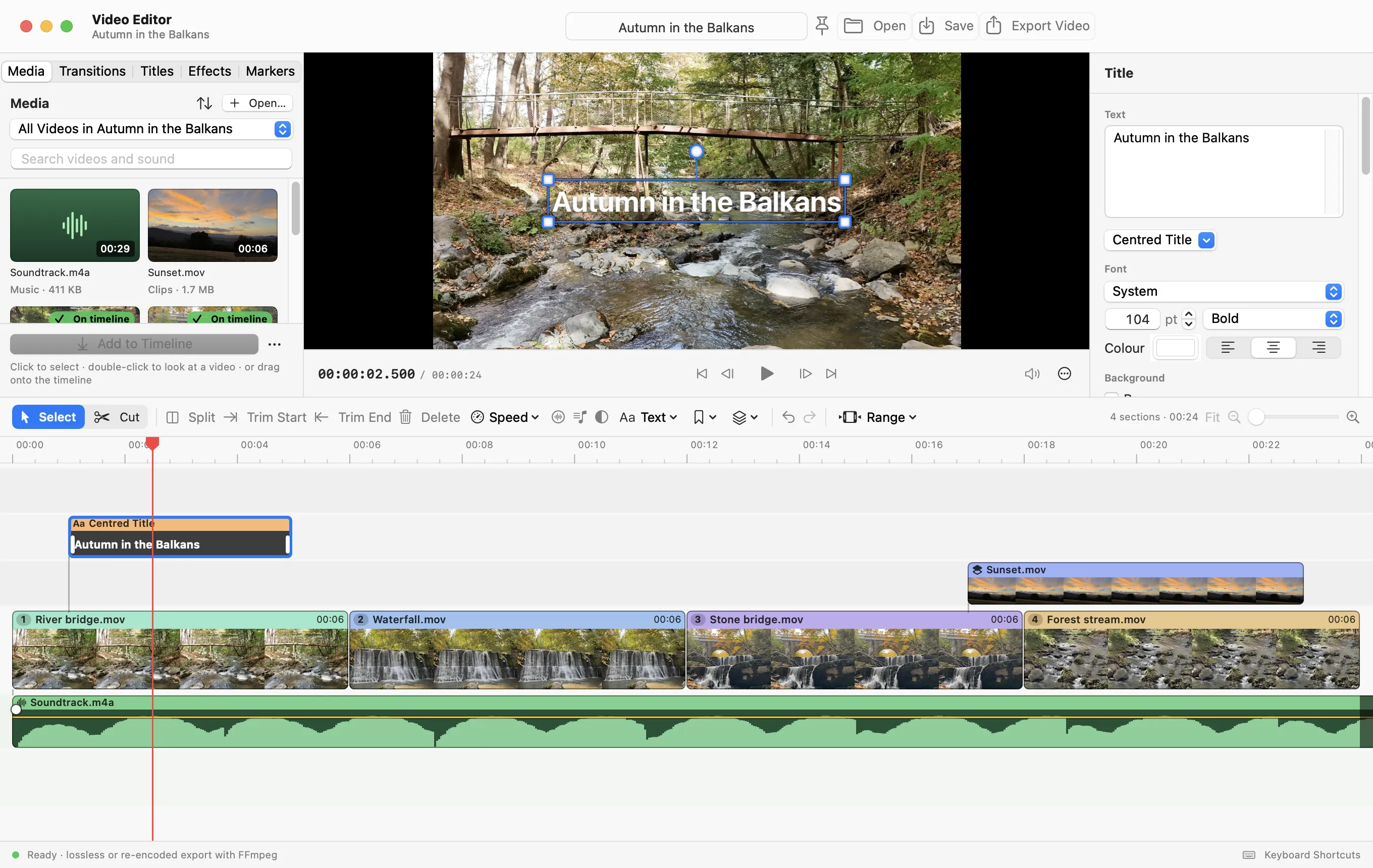
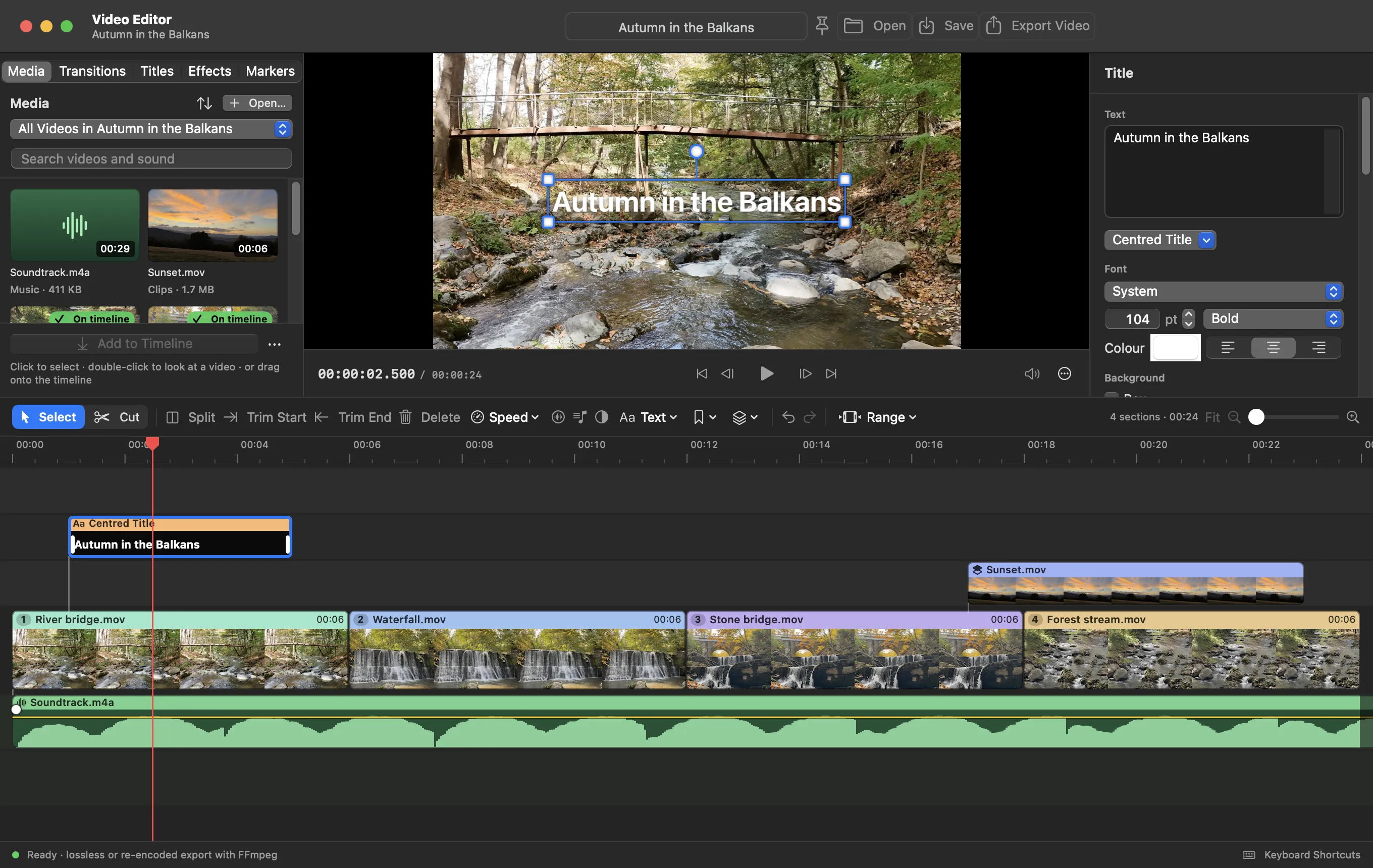
Edit videos
Cut a trip video on a multi-track timeline.
- Picture in picture, sound lanes, fades and waveforms
- Titles, transitions and captions (.srt, .vtt)
- Colour grading, chroma key and a censor box
- DJI D-Log M to Rec.709 on the GPU
Reels and sharing
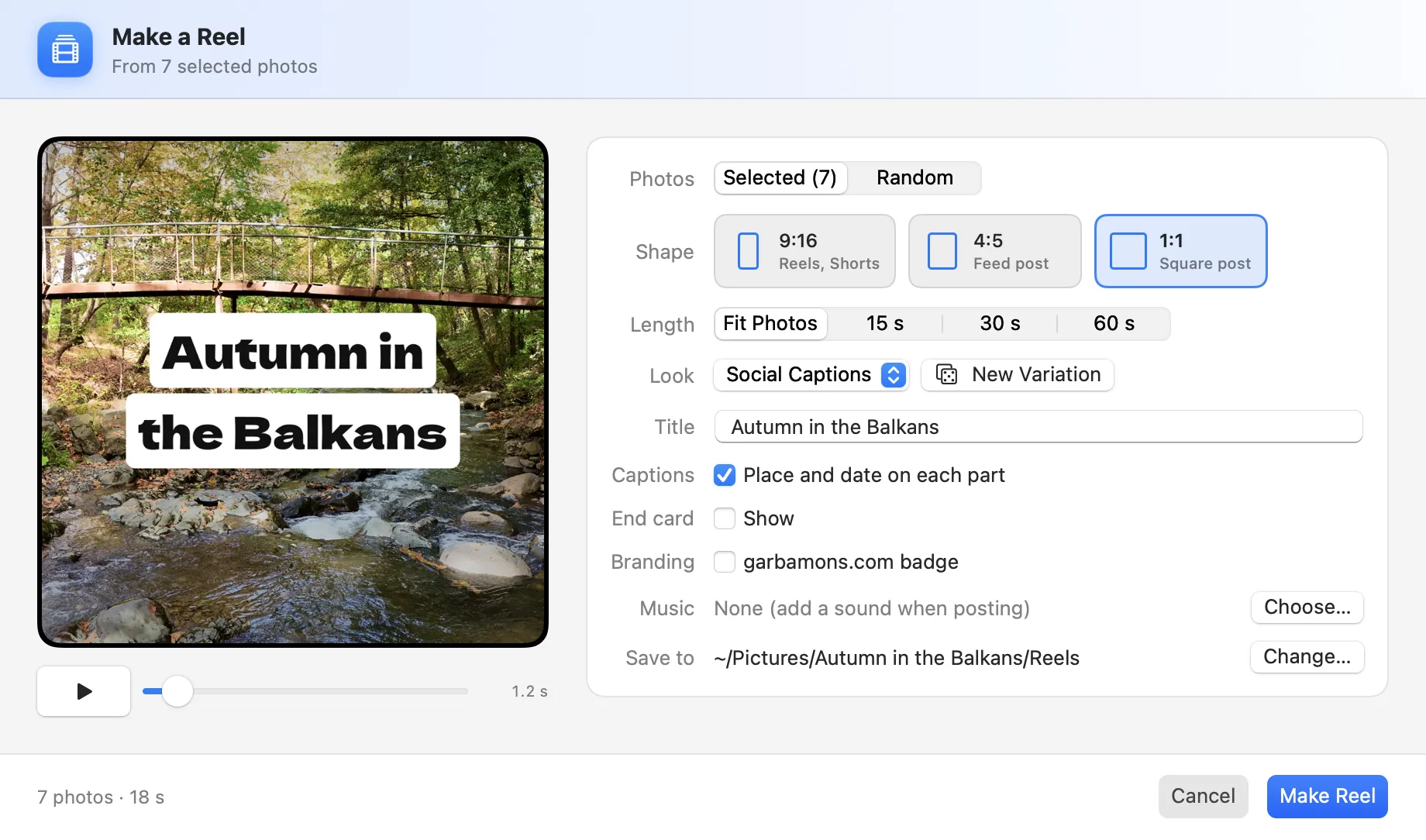
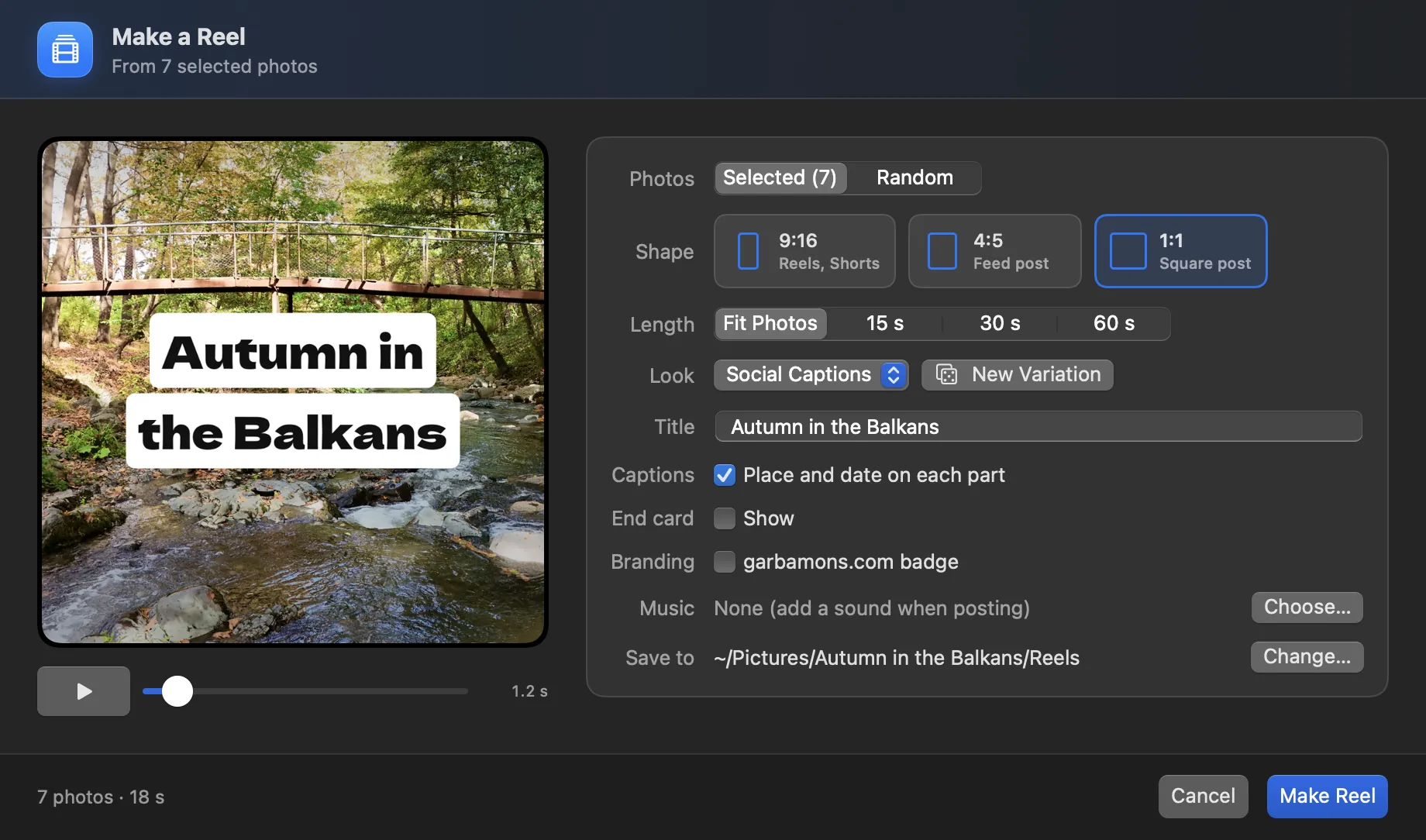
Turn a trip or a cleanup into a short video for social media.
- Reels from your photos in 9:16, 4:5 or square
- 24 looks, place and date captions, and music
- A live preview before anything is rendered
- Smaller copies of videos for Discord or email
Phones and Apple Photos
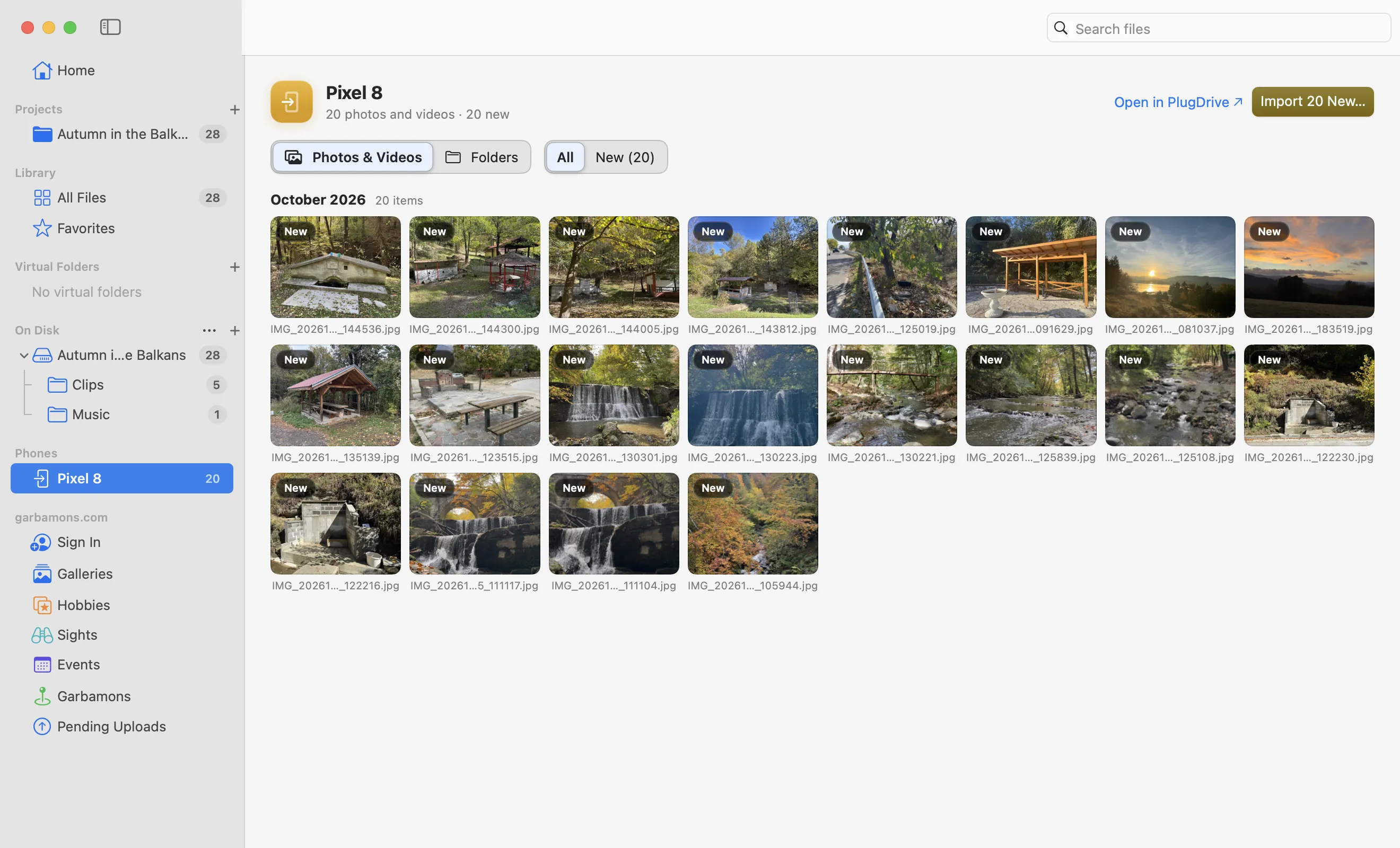
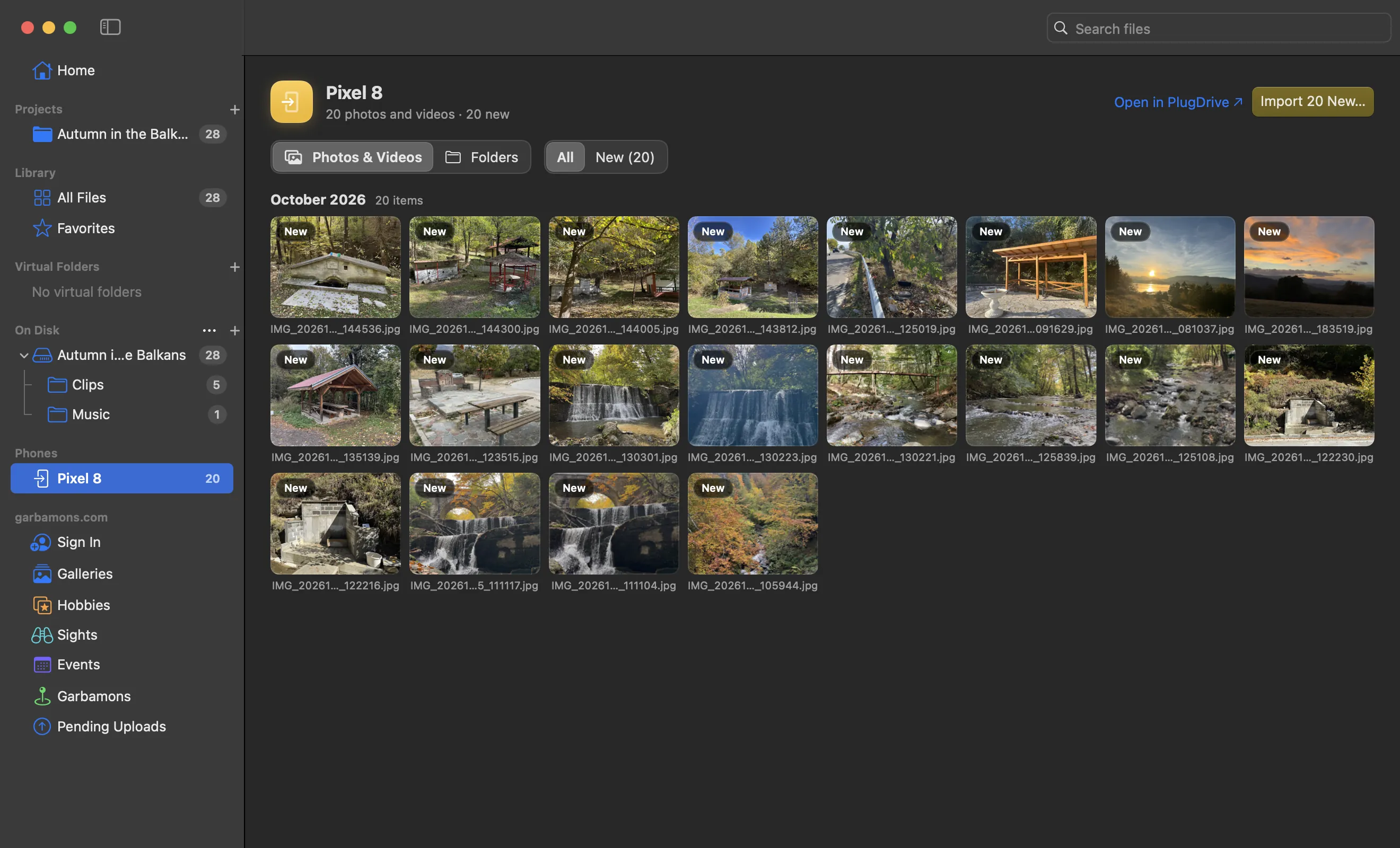
Get the photos off your phone without extra software.
- Android photos by cable, only the new ones
- Receive from Android without a cable, or send to it
- Phone photos grouped by month
- Import from Apple Photos, or add to it
More tools
Locked folders
Lock a folder with a password: its files move into an encrypted disk image (AES-256).
D-Log conversion
Raw DJI D-Log M clips get a badge and convert to normal colour, keeping capture time and GPS.
Smaller copies
Optimize many videos at once, or remove or extract their sound.
Keyboard first
Space for Quick Look, F for favorite, ⌘U to upload, ⇧⌘U for a new garbamon.
Updates itself
New versions download in the background and install on restart, never during an upload.
Free
The app costs nothing. Only storage on garbamons.com depends on your plan.
Download and install
Garbamons Media Manager for Mac
Garbamons Media Manager is the Garbamons app for macOS. Manage your galleries, garbamons, hobbies, sights and events and upload photos and videos straight from your Mac, with your garbamons.com account.
- Version
- 1.8.0
- Released
- Requires
- Mac with Apple silicon (M1 or later), macOS 14.0 or later
Disk image, 21 MB
Install it
- Open the downloaded disk image.
- Drag Garbamons Media Manager to the Applications folder.
- Open it from Applications.
The app is not notarized by Apple yet. If macOS won't open it, go to System Settings › Privacy & Security and choose Open Anyway.
Done right: Garbamons Media Manager opens and asks you to sign in with your garbamons.com account.
What it does
- Create and edit galleries, garbamons, hobby galleries, sights and events
- Upload photos and videos from your Mac within your plan's limits
- Sign in with your garbamons.com account
- Updates itself when a new version is out
Optional: the video editor uses FFmpeg. Install it with Homebrew: brew install ffmpeg
Check the download
Optional. Run the command in Terminal; the checksum it prints must match this one exactly.
d129b70d112280ef1ebd9b2a112a610f4972f480e28f06876eb22b6e8f659d00shasum -a 256 ~/Downloads/Garbamons-Media-Manager-1.8.0.dmgWhat's new in 1.8.0
- Make a Reel: short videos from your selected photos, or a random pick from a project
- Portrait 9:16, 4:5 and square shapes, 24 looks, place and date captions, music and a live preview
Garbamons Media Manager for Windows
Browse and cull the photos and videos in your folders, turn photos into reels, send smaller videos, and upload to garbamons.com. Portable: no installer, one file.
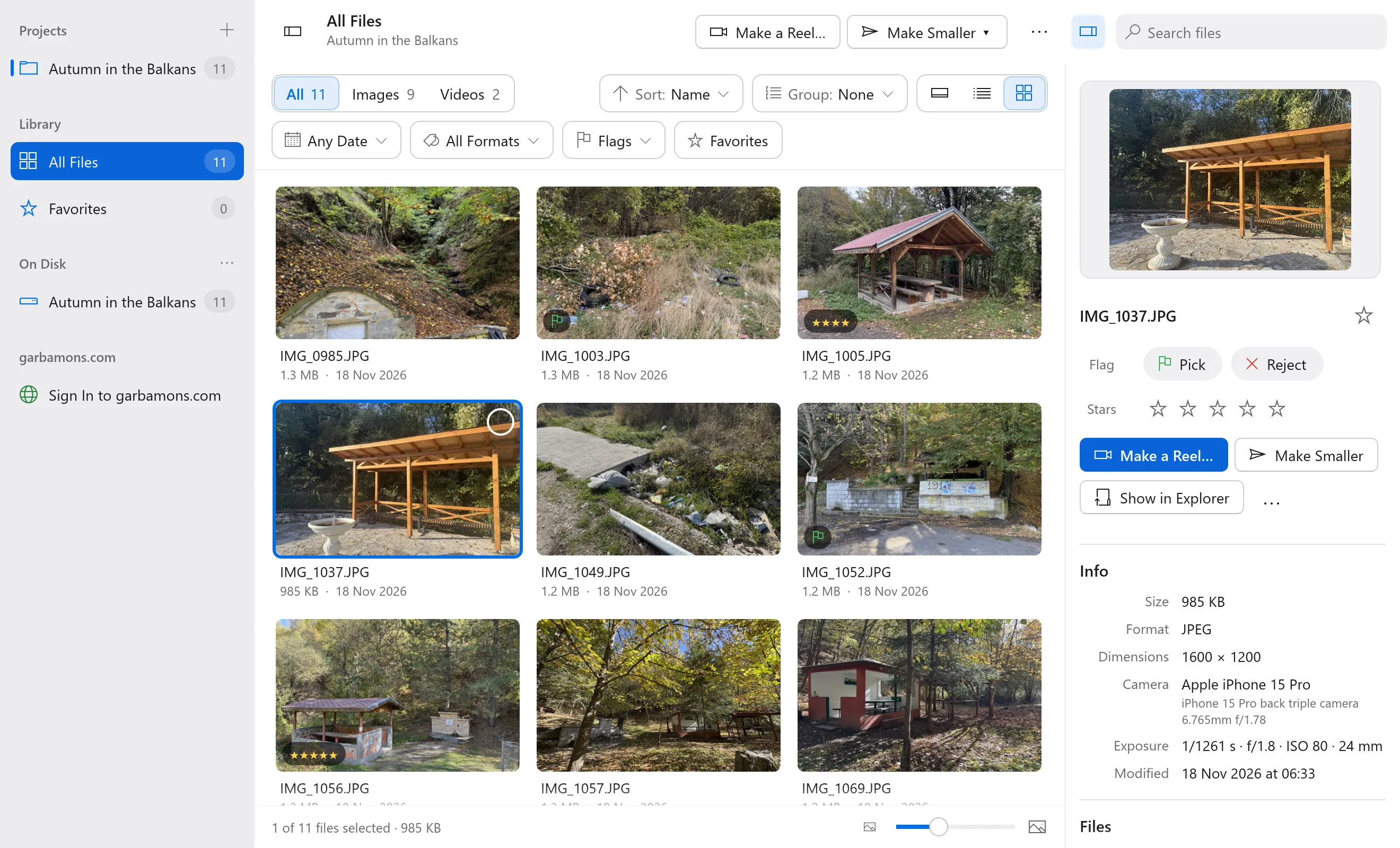
garbamons.com on Windows
Sign in with your garbamons.com account and send photos straight from your folders.
Report a garbamon
Create a new garbamon from selected photos. Their GPS data suggests the spot, and you confirm it on the map before anything is saved.
Add a sight
Create a new sight from your photos, placed at their location once you confirm it.
Galleries
Upload to an existing gallery, or create a new one with the selected files.
Honest limits
Your plan's limits are checked before upload, and anything garbamons.com refuses is shown exactly as the site says it.
Secure sign-in
Sign in through a garbamons.com window. The app gets its own session, which you can sign out from the website.
Photos and video on Windows
Library
Your folders as they are, nothing imported or copied.
- Filter by date, format and kind
- Camera, exposure and location for each photo
- Copy, move and Recycle Bin, with Undo
- Thumbnails for MP4 and MOV videos
Cull
Go through a shoot and keep the best photos.
- Pick, reject and rate 1–5
- Compare 2–4 photos
- Zoom, swipe and filmstrip
- XMP sidecars for RAW (optional)
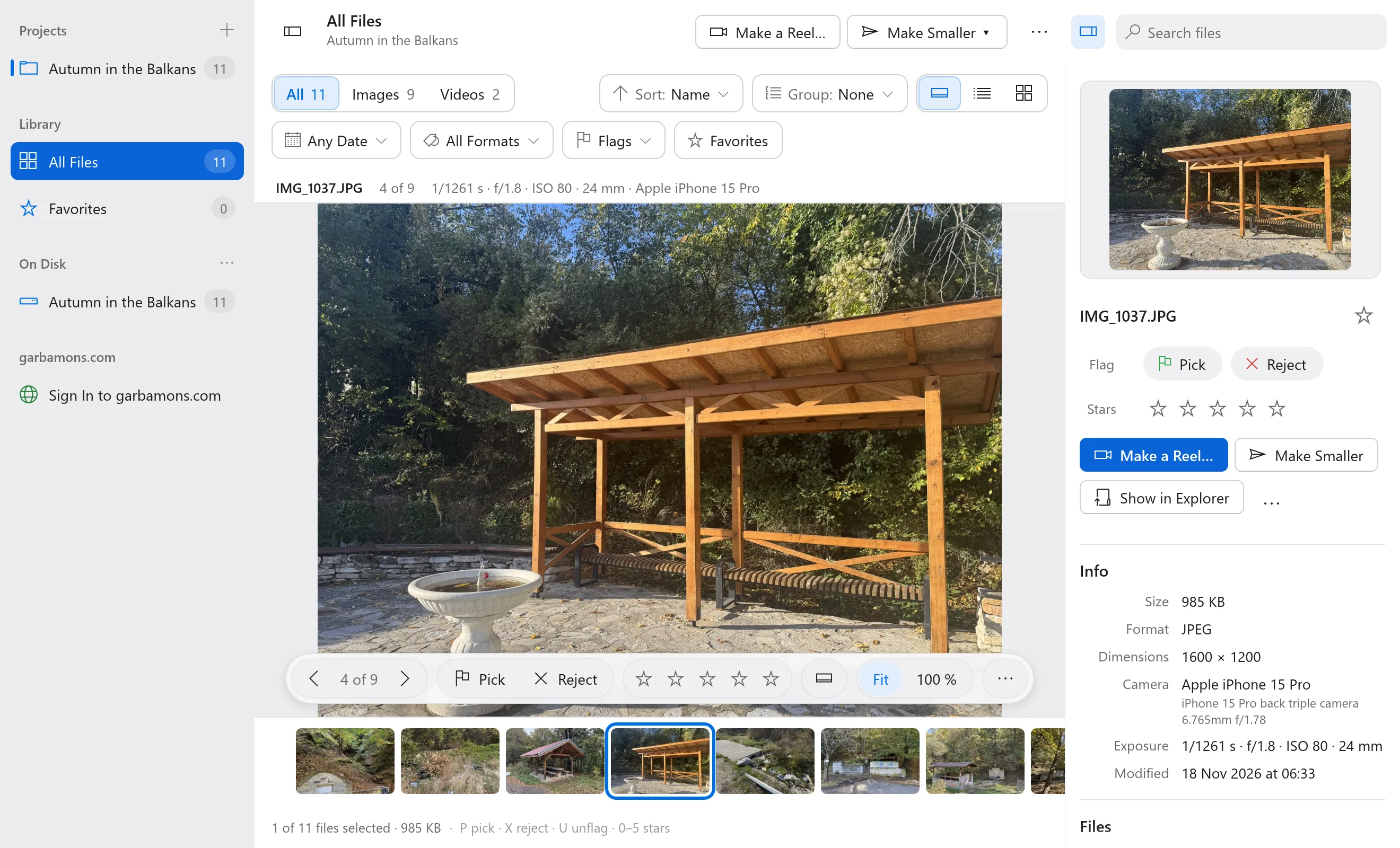
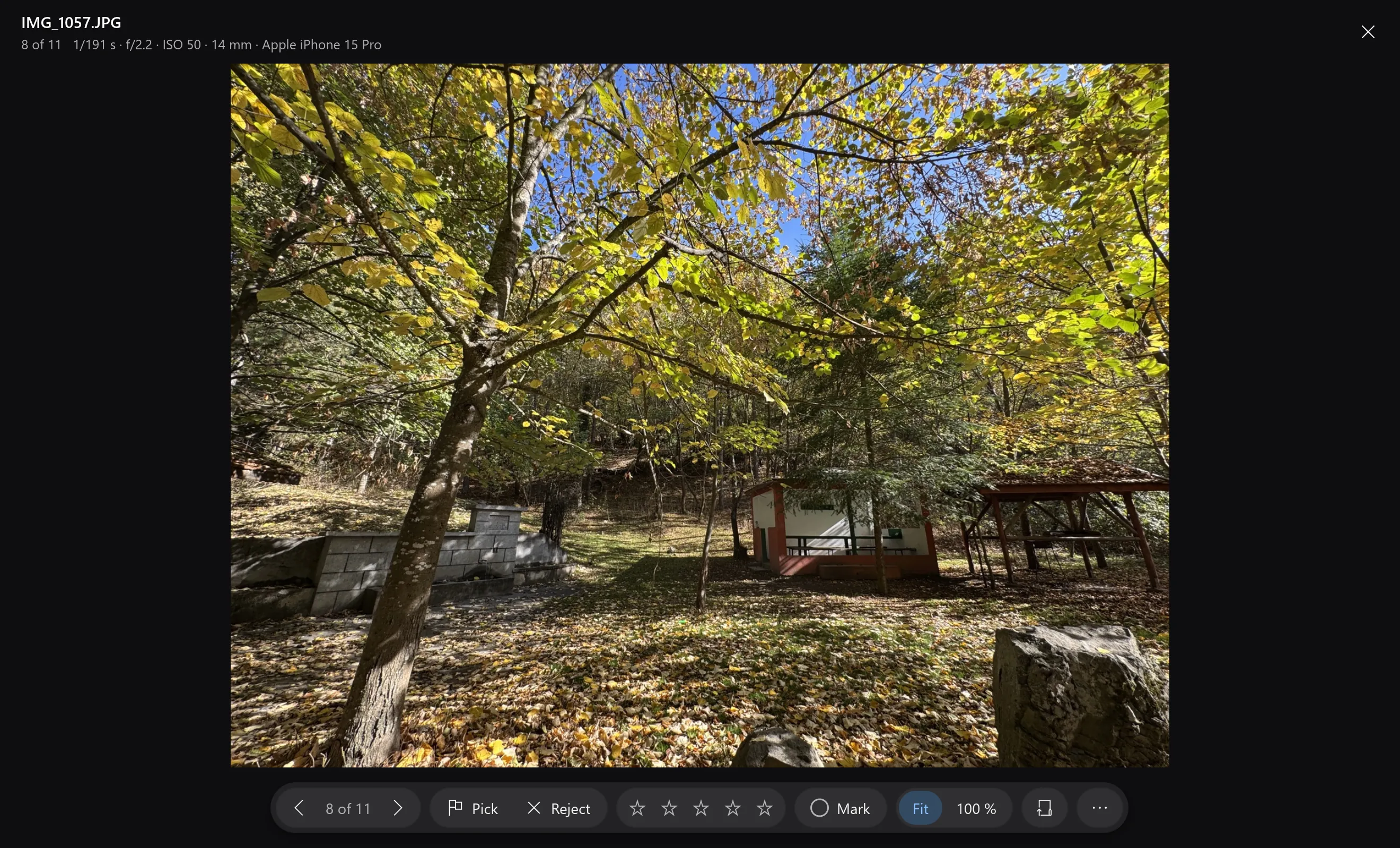
Full-size preview
Check every detail before you decide.
- Full-size photos with zoom
- The next photos one key away
- Ratings and flags while you look
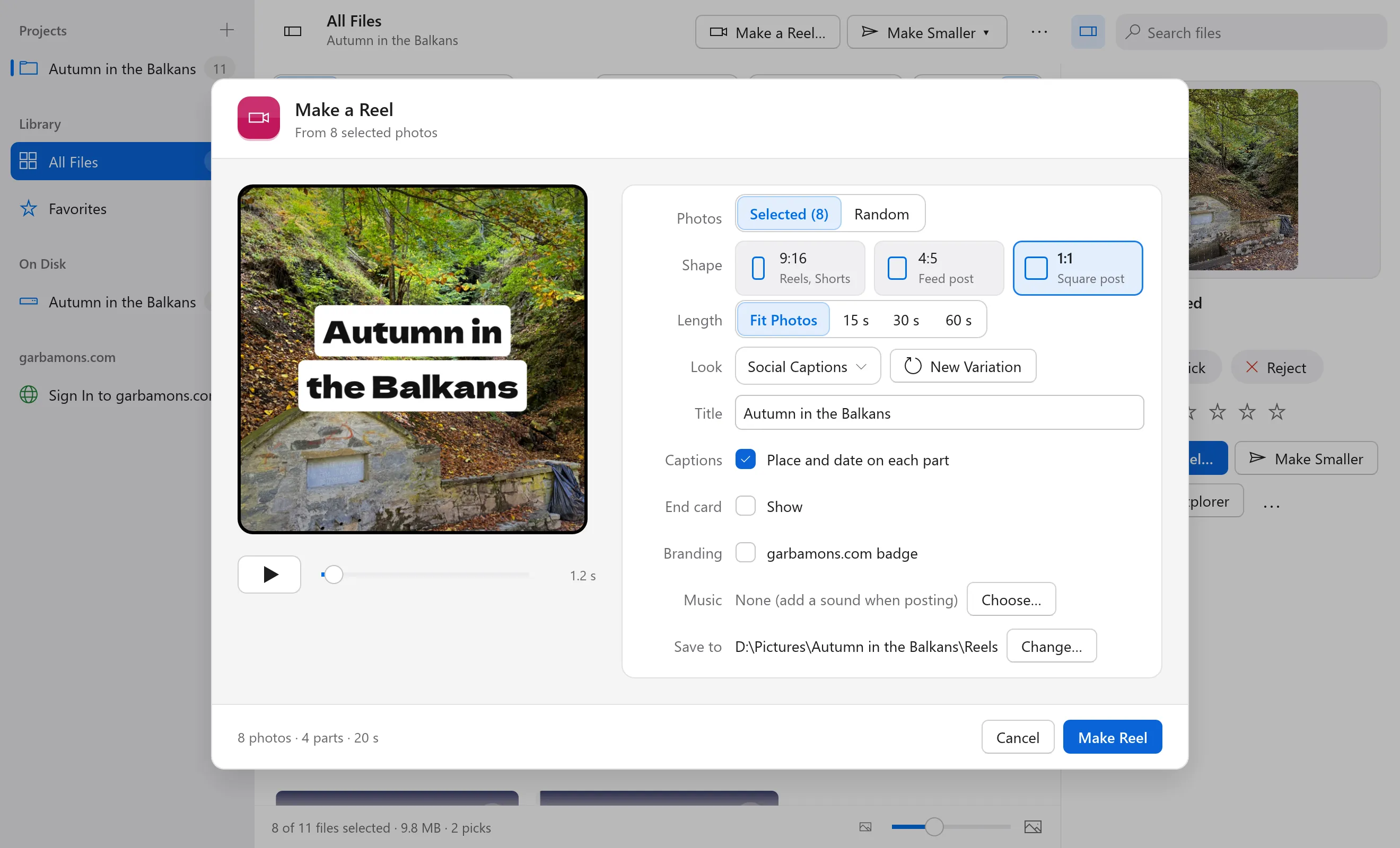
Reels
Turn a trip or a cleanup into a short video.
- From your photos: 9:16, 4:5 or square
- 24 themes, 25 transitions, 8 text animations
- Your music, looped and faded
- A preview plays before you make it
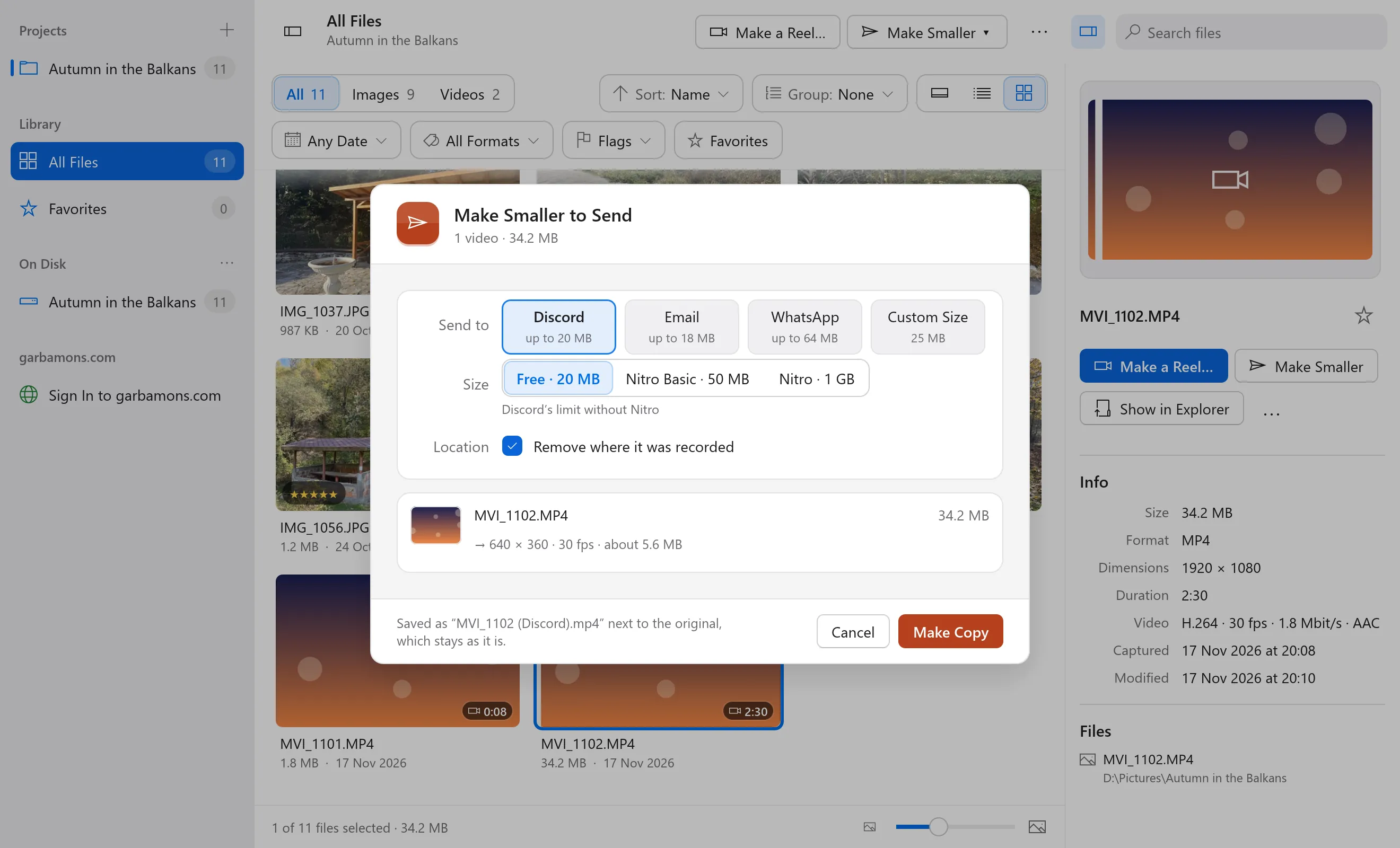
Make smaller to send
Shrink a video to fit where you're sending it.
- Sizes for Discord, email and WhatsApp
- Location removed or kept
- Saved next to the original
- Drag the result into any app
On the Mac only, for now: The photo and video editors, hobbies and events, phones and Apple Photos, locked folders, the 360° viewer, the pending-uploads recovery and place names for GPS positions (Windows shows coordinates).
Download and install
Garbamons Media Manager for Windows
- Version
- 1.0.0
- Released
- Requires
- Windows 10 or 11, 64-bit
Zip file, 9.4 MB
Install it
- Open the downloaded zip and extract Garbamons Media Manager.exe to a folder you keep, such as Documents.
- Double-click Garbamons Media Manager.exe. There's nothing to install.
- If Windows SmartScreen stops it, choose More info, then Run anyway. It's needed once, because the app isn't signed with a paid certificate yet.
Done right: Garbamons Media Manager opens, and you can add a folder as a project and sign in to garbamons.com.
Check the download
Optional. Run the command in PowerShell; the checksum it prints must match this one exactly.
eca4dc271a4bb07e7a7ed4b16207e67b63e2b60f73191d97eff5460147eba1f6Get-FileHash -Algorithm SHA256 "$HOME\Downloads\garbamons-media-manager-windows-1.0.0.zip"For HEIC, AVIF, WebP and camera RAW, install their free extensions from the Microsoft Store (HEIF Image Extensions, HEVC Video Extensions, AV1 Video Extension, Raw Image Extension).
What's new in 1.0.0
- First Windows release: organize, cull and preview photos and videos, make reels in 9:16, 4:5 or square, and shrink videos to send
- garbamons.com sign-in and uploads to galleries, sights and garbamons
Phone and tablet
Install the Garbamons web app on iPhone, iPad or Android and turn on notifications.
Install the web appQuestions
Does it move or copy my files?
No. Projects use your folders as they are. Only importing from a phone or Apple Photos copies files, and locking a folder moves them into an encrypted image.
Do I need a garbamons.com account?
Only for uploading and for your galleries, garbamons, sights, events and hobbies. The library, culling and editing work without signing in.
Where does the location of a new garbamon or sight come from?
From the GPS data in your photos and videos. You always see it on a map and can move it before saving.
What happens if my connection drops during an upload?
The upload pauses and continues where it stopped once you're back online, also after quitting the app. Pending Uploads shows anything that needs your attention.
Which Macs does it run on?
Macs with Apple silicon (M1 or later) and macOS 14 or later. FFmpeg (free, brew install ffmpeg) is needed only for exporting videos and the video tools.
Which Windows versions does it run on?
Windows 10 (version 2004 or later) and Windows 11, 64-bit. It's a single portable program: delete the file to remove it.
Is it really free?
Yes. The app is free; storage on garbamons.com follows your plan, and garbamon photos don't count toward it.